
Accelerating Task Efficiency with AI
Summary
I designed and prototyped an AI-powered assistant aimed at helping enterprise workforce managers automate repetitive tasks, monitor ongoing situations, and retrieve critical information — all without leaving their primary interface. While not yet released to clients, the working prototype allowed myself and an engineer to validate core functionality, interaction patterns, and technical feasibility for future integration.
The Problem to Solve
Even with the Geo-Visualization interface improving data discoverability, internal feedback revealed:
Complex workflows — high-frequency tasks still required multiple steps and screen changes.
Learning curve — new users struggled to locate the right features quickly.
Time pressure — operational staff needed faster task execution in urgent scenarios.
Manual inefficiencies — repetitive lookups and communications were prone to small but costly errors.
The team wanted to explore how AI could simplify workflows and reduce task completion time before committing to a full-scale build.
Designing the Solution
1. Research & Opportunity Mapping
Interviewed internal stakeholders and power users to identify workflows that were both frequent and automation-friendly.
Prioritized 5 key scenarios (e.g., sending alerts, generating reports, retrieving location/personnel info) for AI enablement.
2. Design Principles
Transparency — make AI interactions clear and predictable.
Error Prevention — guide users through complex tasks to avoid mistakes.
Speed — enable one-step execution for high-priority actions.
3. Prototyping the AI Assistant
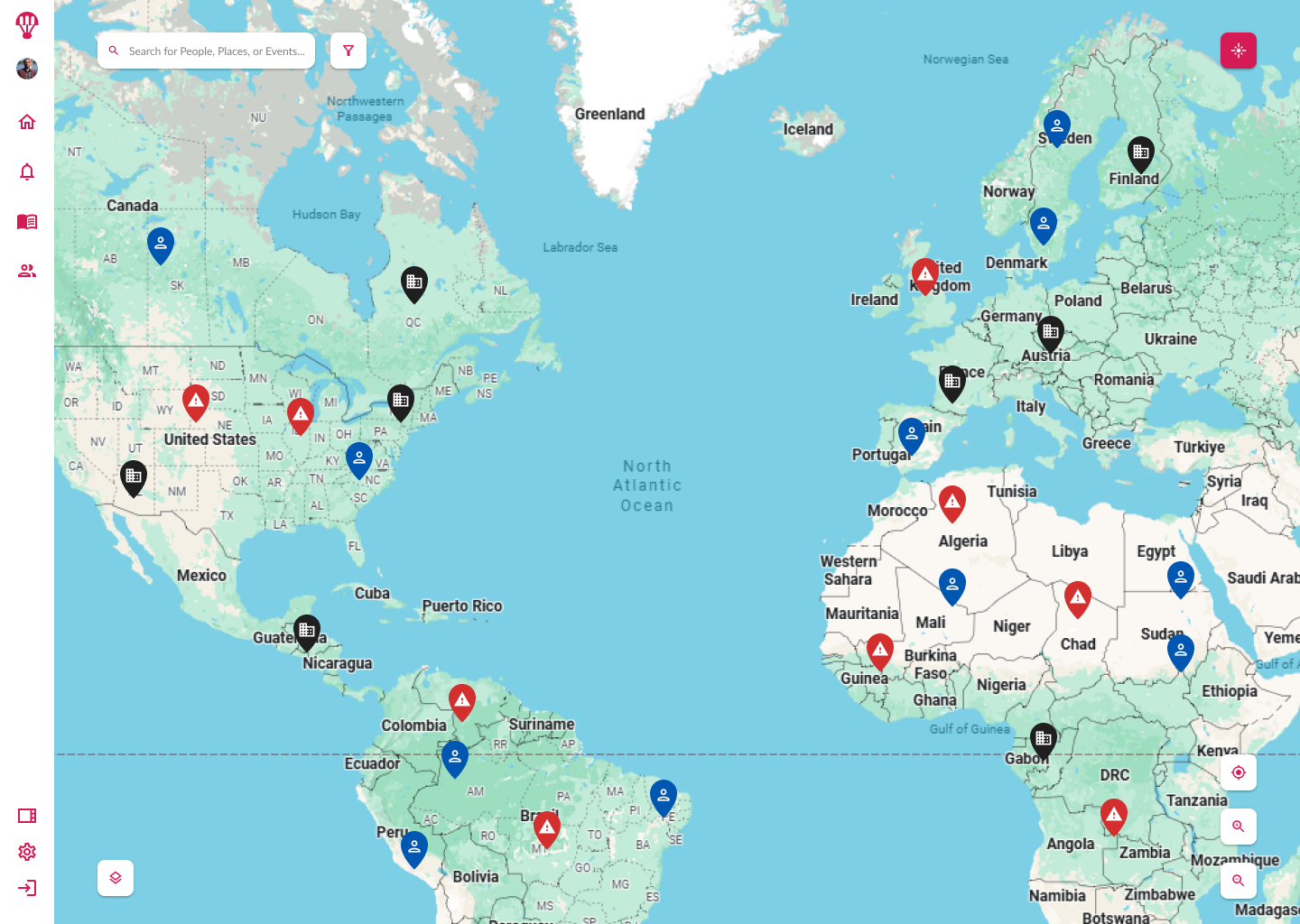
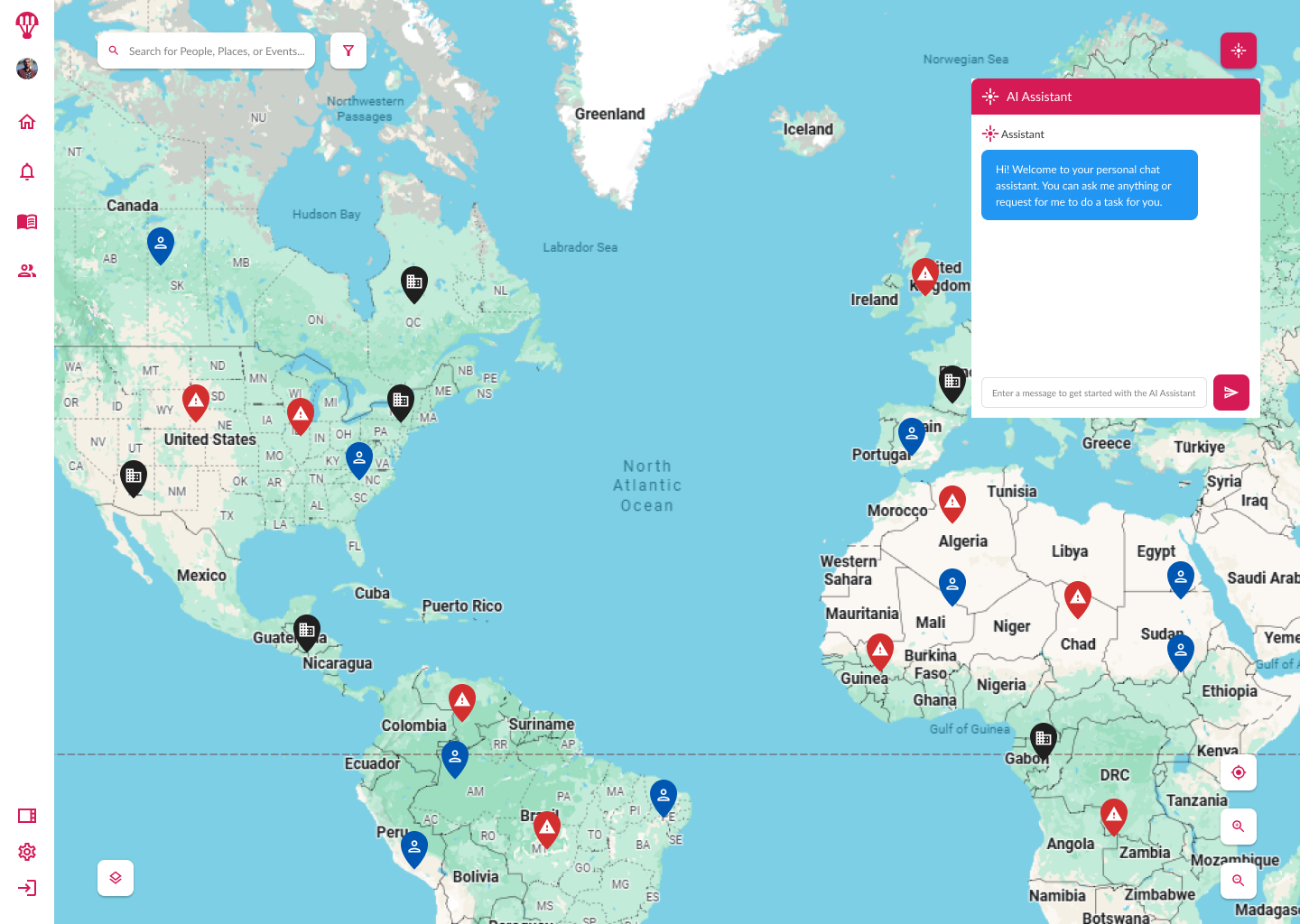
Designed an always-visible AI trigger icon in the global nav.
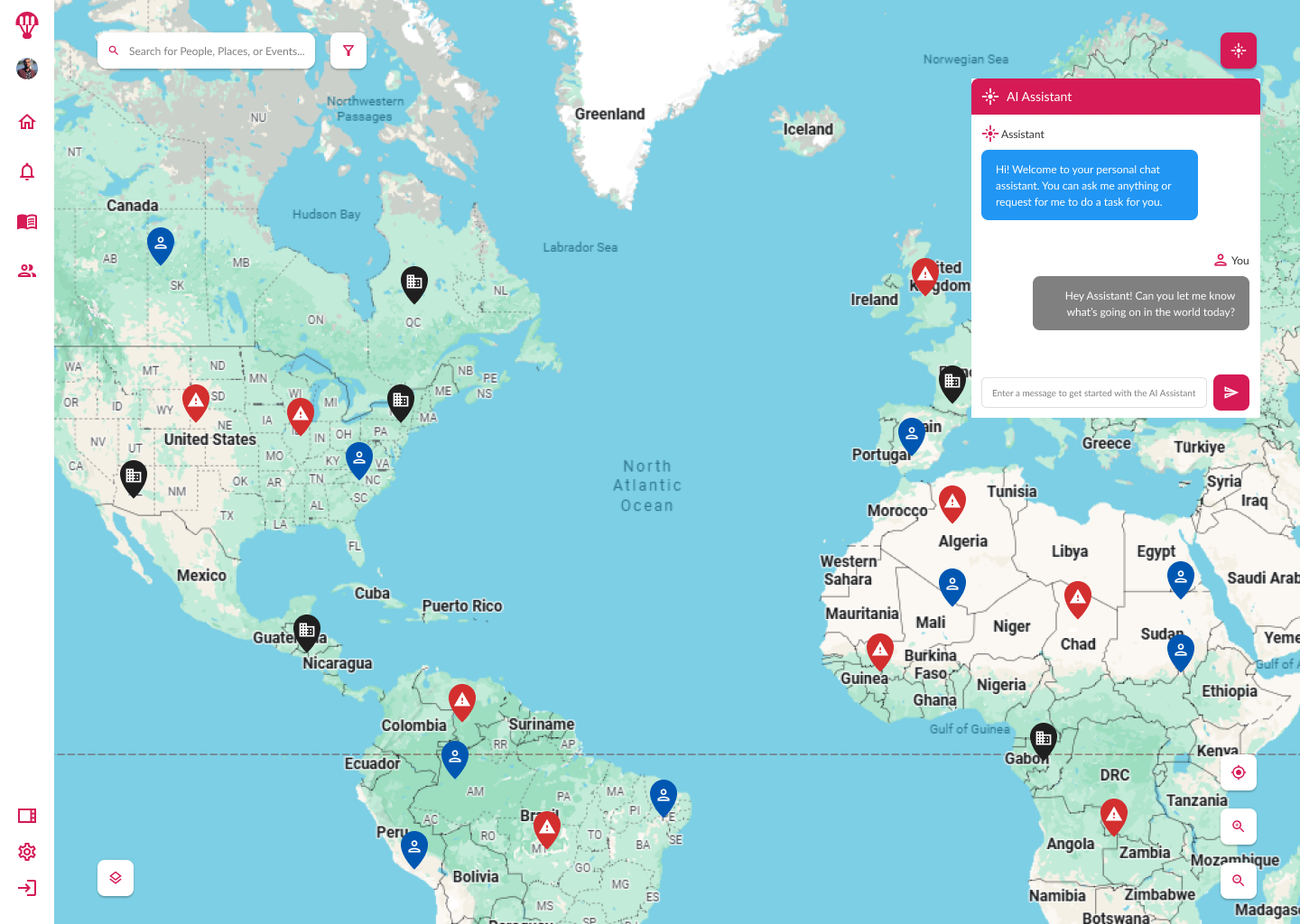
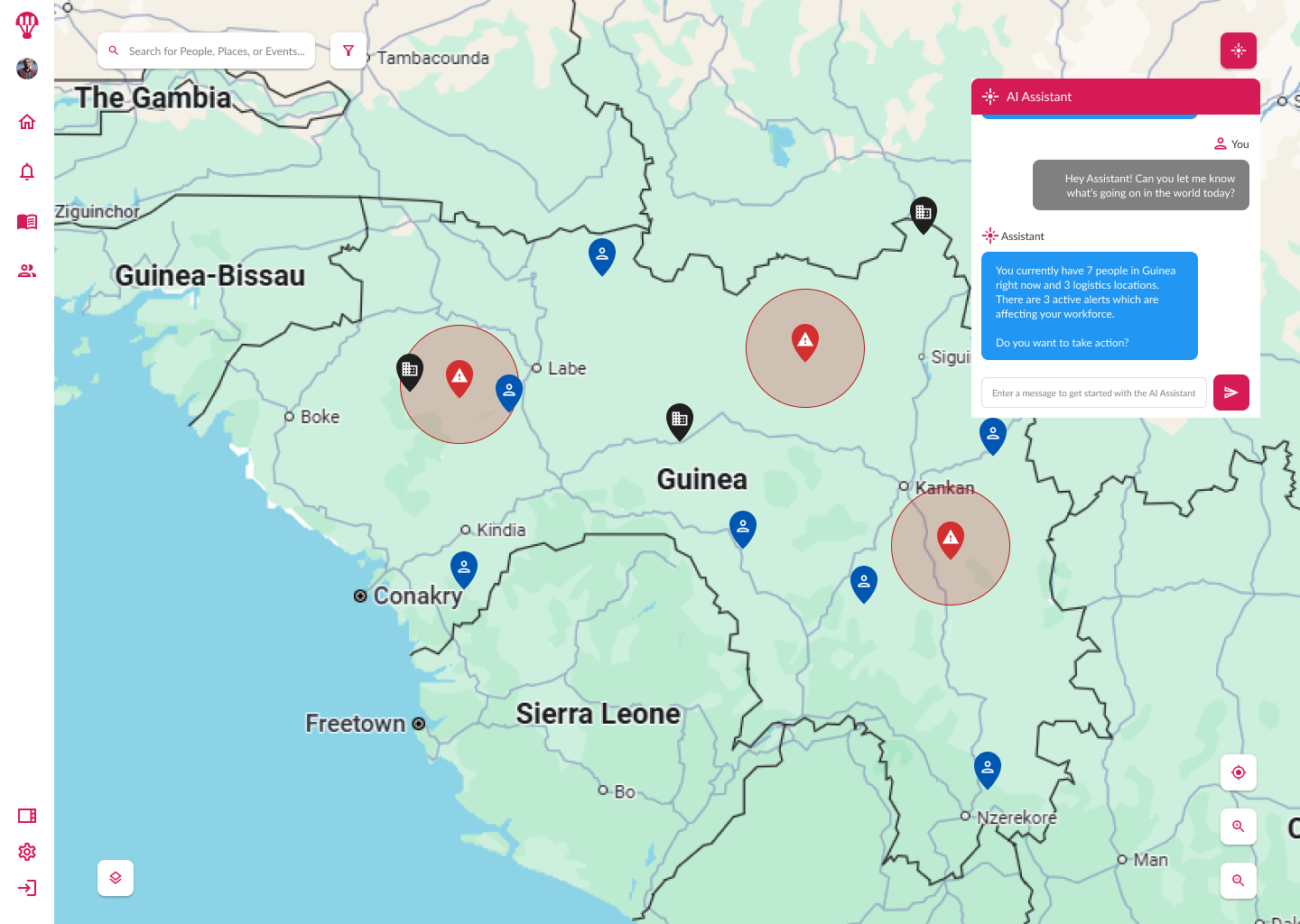
Created a chat-based interface to accept natural language commands for:
Task automation.
Situation monitoring with notifications.
Quick data retrieval from existing systems.
Incorporated contextual suggestions based on the user’s recent activity.
4. Collaboration with Engineering
Partnered with a lead engineer to connect the prototype to live, but limited, data streams.
Built interactions that allowed both of us to test functionality in a simulated operational environment.
5. Internal Testing & Iteration
Tested internally with simulated real-world scenarios to assess:
Command recognition accuracy.
Response time for common tasks.
User interface discoverability.
- Iterated on icon placement, onboarding hints, and system feedback messages to improve intuitiveness.
Outcomes
Functional prototype: Demonstrated end-to-end automation of select tasks in a live environment.
Feasibility validated: Confirmed technical integration points and performance constraints for scaling.
Stakeholder alignment: Positioned the AI assistant concept as a viable feature for future product roadmaps.
Design foundation: Delivered a tested interaction model ready for further development and user trials.
Wrap Up
Although the AI Assistant did not progress to client deployment, the prototype successfully proved both the technical viability and user experience potential of AI-driven task automation. This early-stage validation set the stage for future investment and a roadmap toward integrating AI into operational workflows.
You can see the AI Assistant designs in action in Figma.